Reveal the Unseen.
Desktop app for visualizing and analyzing measurement and simulation data – on your own or together with AI.
Linux · Windows
AI assistant
One workspace for you and the AI
Describe in the chat what you want to find out. The AI works right in your plots – visibly, step by step, with the same tools you use yourself. Step in at any time: the AI notices your changes and continues from where you left off.
AI assistant
Example
Filter the noise from the lower signal, crop to the pulse and comment on delay and peak values.
- 5 Hz lowpass, zero phase shift
- Cropped to 0.7–2.7 s
- 3 comments in the plot
The response follows the pulse with a 141 ms delay. I applied the filter without phase shift – otherwise exactly this delay would be distorted.
Every step editable in the workflow
Example requests
How fast does the response follow the setpoint? Compare all three measurements.
Mark in the plot where measurement 2 deviates from the others.
Apply the same analysis to the new measurements.
Load & plot
Open measurement files, find channels and put them in the right plot. When something is unclear, the AI asks.
Process signals
Filter, differentiate, FFT, spectrogram, formulas, crops – every edit is a regular step in the workflow.
Measure values
Maxima, RMS, frequencies and more – also within a range you mark in the plot.
Look at the plot
The AI looks at the result and checks that the view, axes and range are right.
Comment on findings
The AI marks anything noteworthy with a comment right where it occurs in the plot.
Transfer analyses
Apply a finished analysis to further measurements and compare the results directly.
Workflow integration
Measurement and simulation data
Load MDF, CSV and Excel files directly – or connect ScryLab to Python/MATLAB to use it as a plotting tool.
Visualization
The right view for every signal
Every view stays interactive and fluent – even with large datasets.
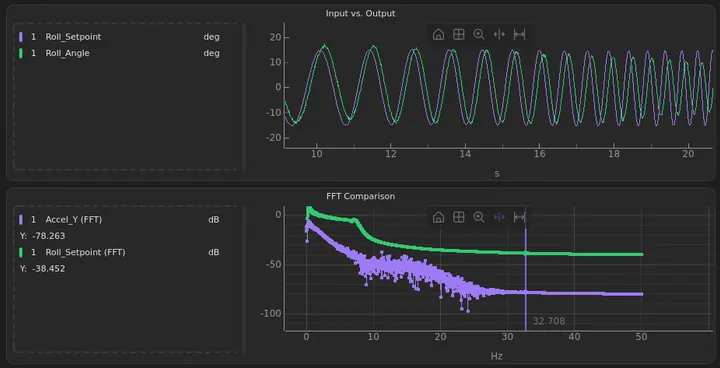
Time & Frequency Domain
Time and frequency domain in a synchronized view. Cursor navigation links both plots.
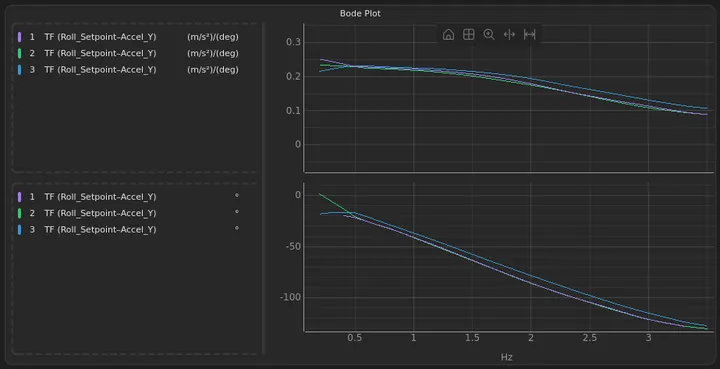
Bode Plot
Amplitude and phase response at a glance, on linear or logarithmic axes. Ideal for transfer functions and control loops.
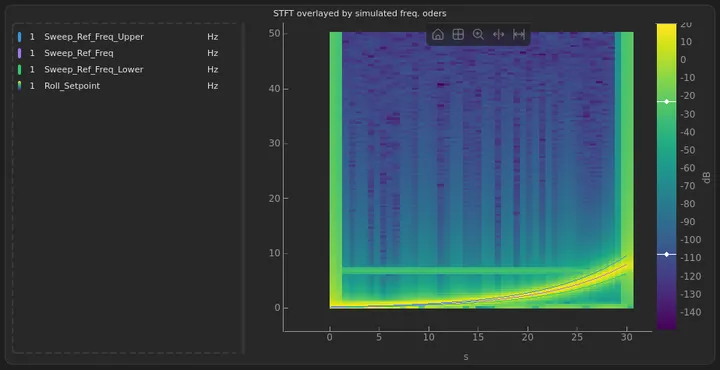
Spectrogram
Frequency content over time. Ideal for analyzing time-variant signals and vibration measurements.
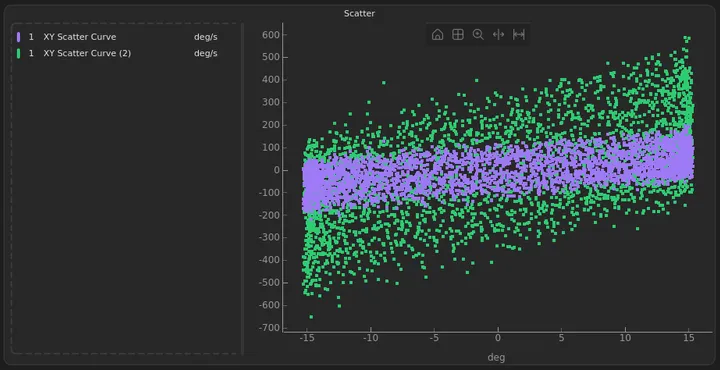
Scatter Plot
Visualize relationships between two signals and identify correlations at a glance.
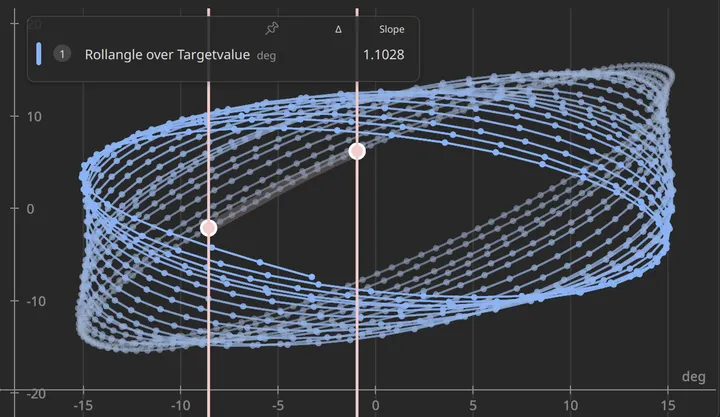
XY & Hysteresis Curves
Plot two signals against each other – including non-monotonic data such as hysteresis loops.
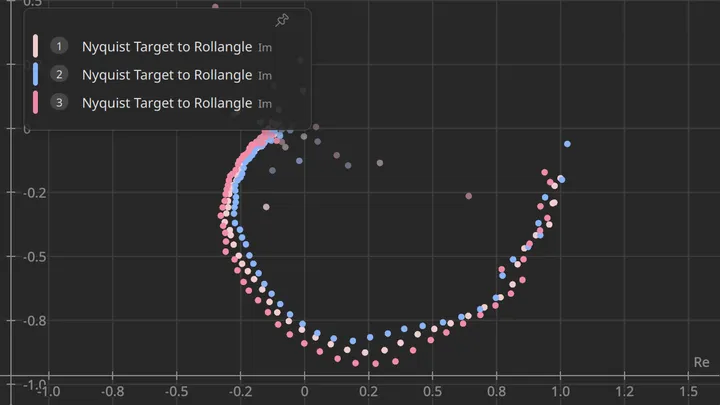
Nyquist Plot
The transfer function's locus for assessing control loop stability.
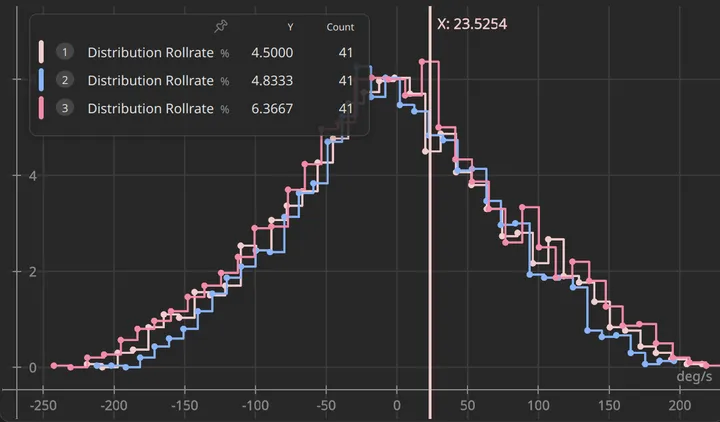
Histogram
How often a signal takes which values – the distributions of several measurements on top of each other.
… and many more
such as rainflow, GPS map, Campbell and PSD
Comparison
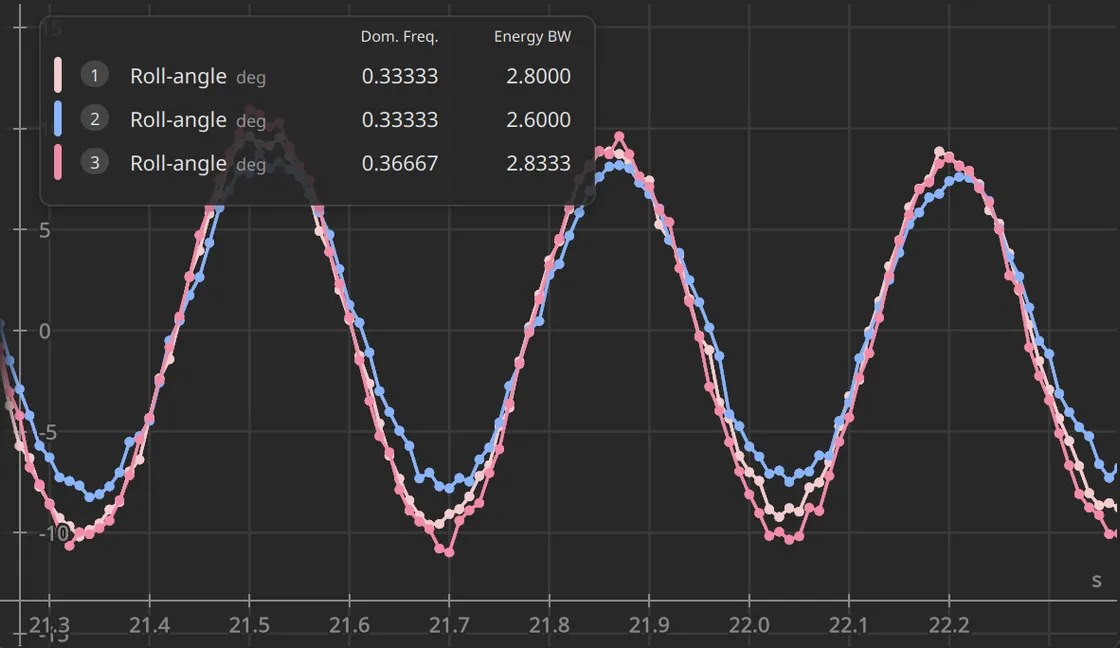
Compare different datasets
Plot signals from multiple measurement runs or simulations side by side in the same plot. Differences stand out immediately – whether comparing run to run or measurement against simulation.
Operations
Manipulate signals
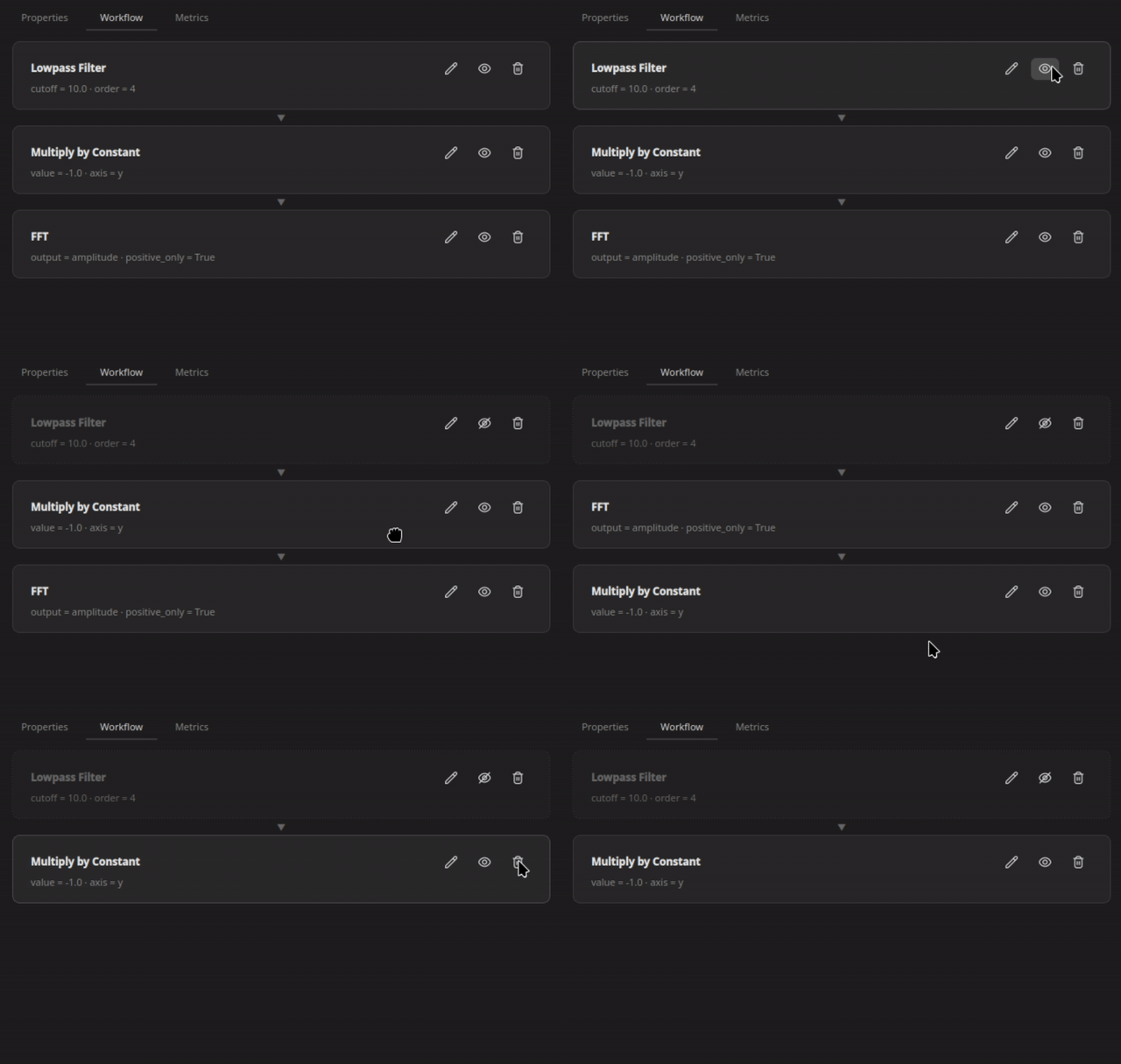
Operations like addition, spline fitting, RMS, or transfer function can be applied as a processing step. Every step can be adjusted, disabled, or removed at any time.
Comments
Capture findings in the plot
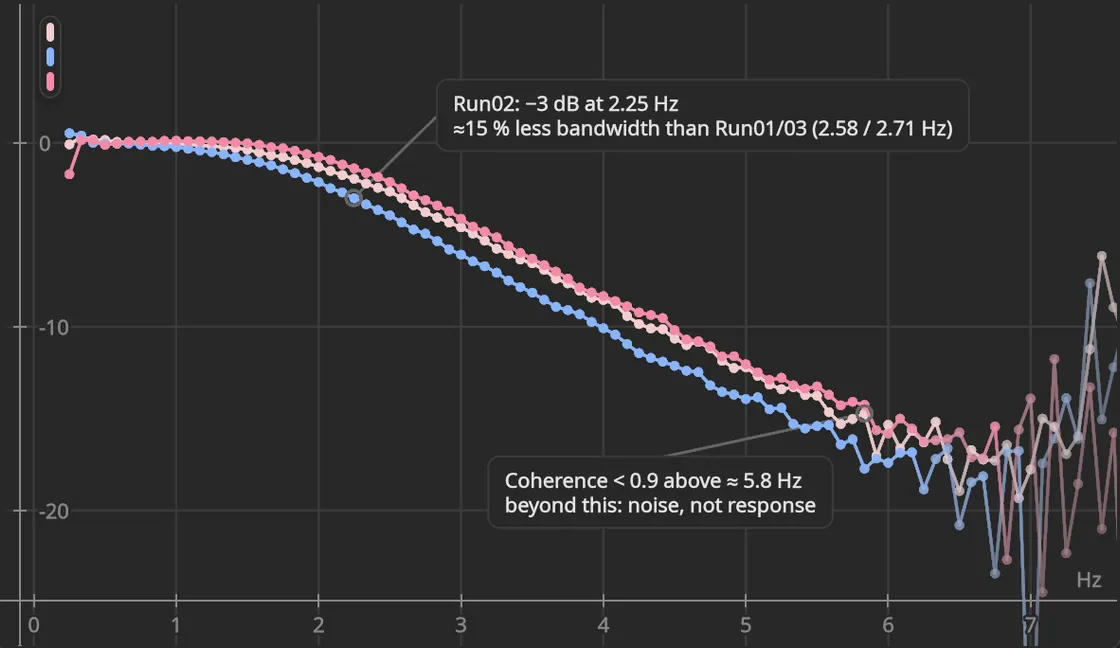
Text and sketches stay at the spot in the data they refer to and move along as you zoom. What stood out, and where, stays visible – including the AI's findings.
Performance
Explore large datasets
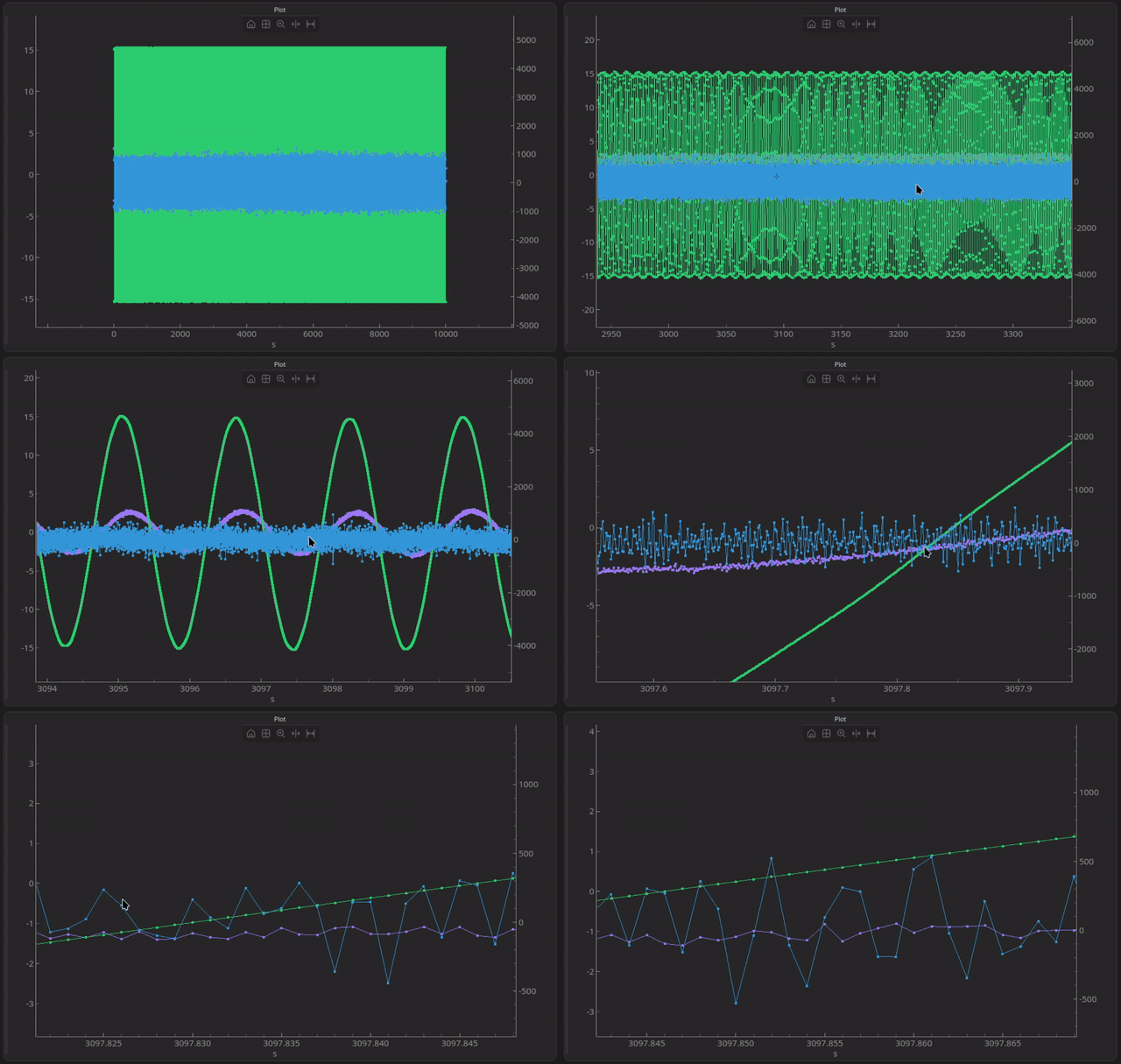
Zoom, scroll, and navigate fluently – even with datasets of over 10 million samples, ScryLab runs at more than 60 FPS.
FAQ
Our plans
Plan overview
Non-commercial
For personal use and education
Free
- All features
- Free updates
- Commercial use
- Support
- No watermark
Commercial
For professional use
Custom
- All features
- Free updates
- Commercial use
- Support
- No watermark